 Playlist Tidy
 Chrome Web Store
Select many videos at once
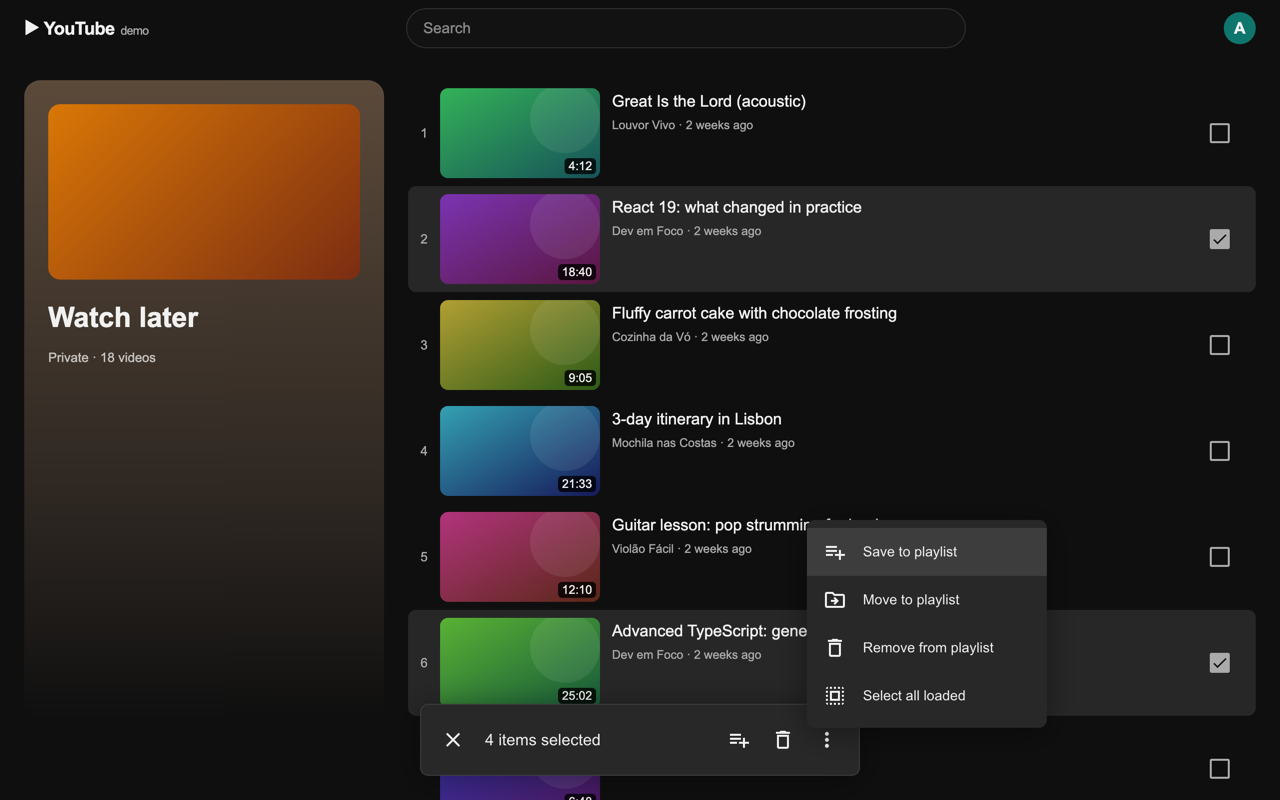
Hover a video and tick its checkbox. Shift+click selects a range. Once something is selected, every row turns into a checkbox.

Select many videos at once to save, move or remove them, and let Playlist Tidy suggest where every video in a long Watch later should go.
Free. No account, no tracking.
Hover a video and tick its checkbox. Shift+click selects a range. Once something is selected, every row turns into a checkbox.
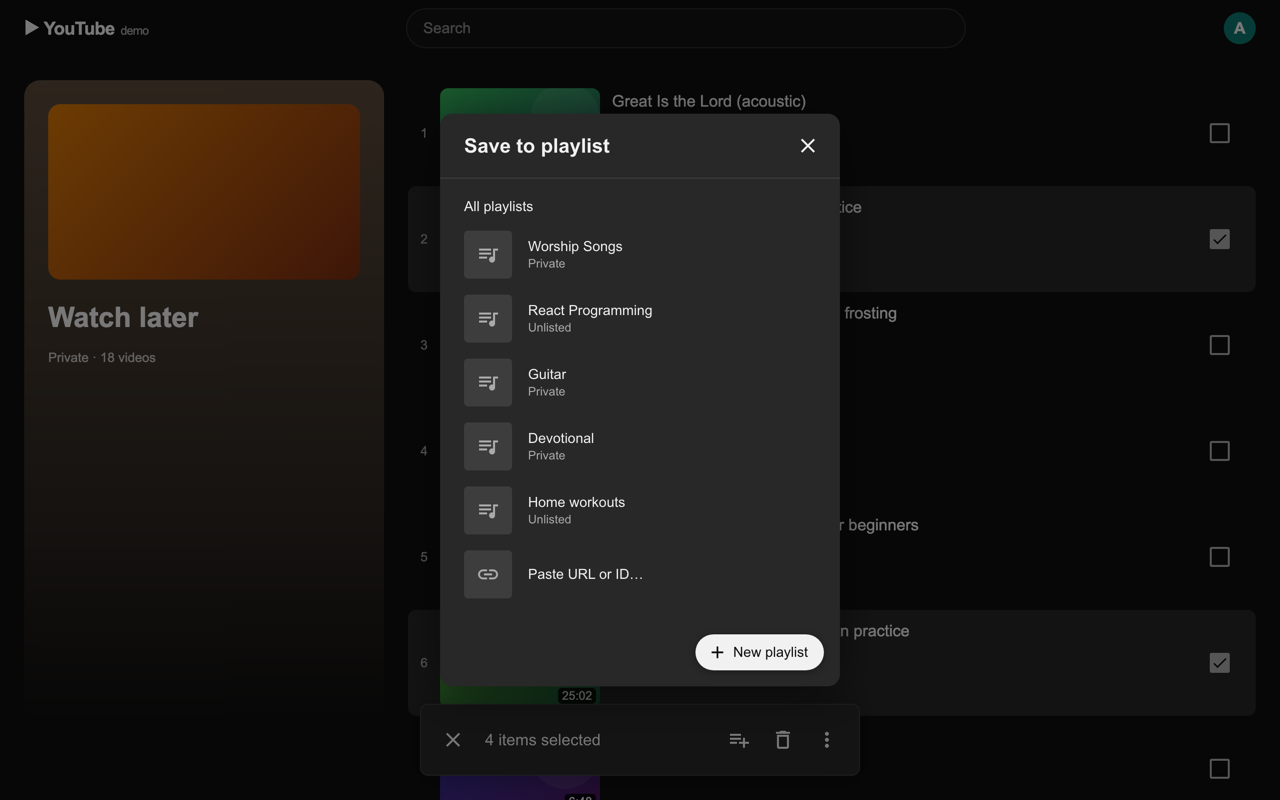
Pick a playlist from the familiar dialog or create a new one on the spot. Works on Watch later, Liked videos and your own playlists.
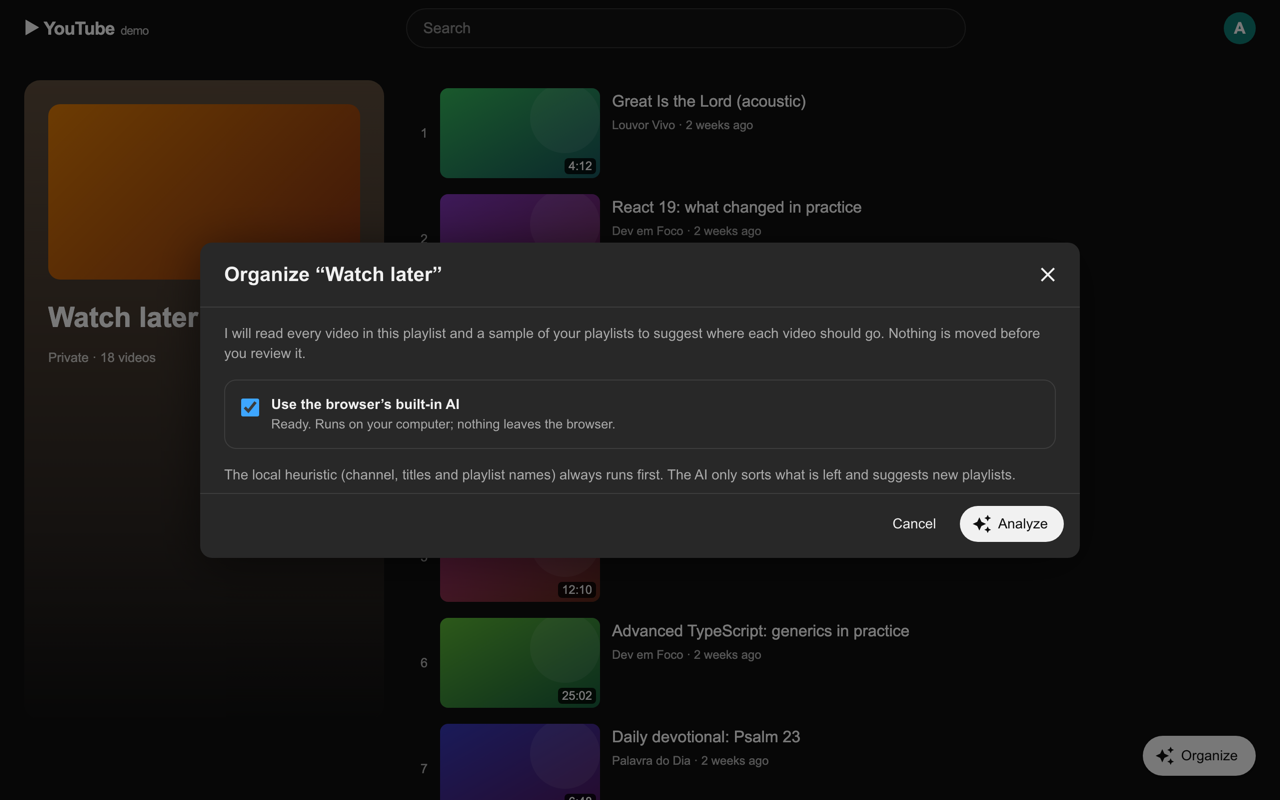
Playlist Tidy reads every video and suggests a destination based on the channel, the title and what each of your playlists already holds. Optionally, your browser’s built-in AI sorts the rest, on your device.
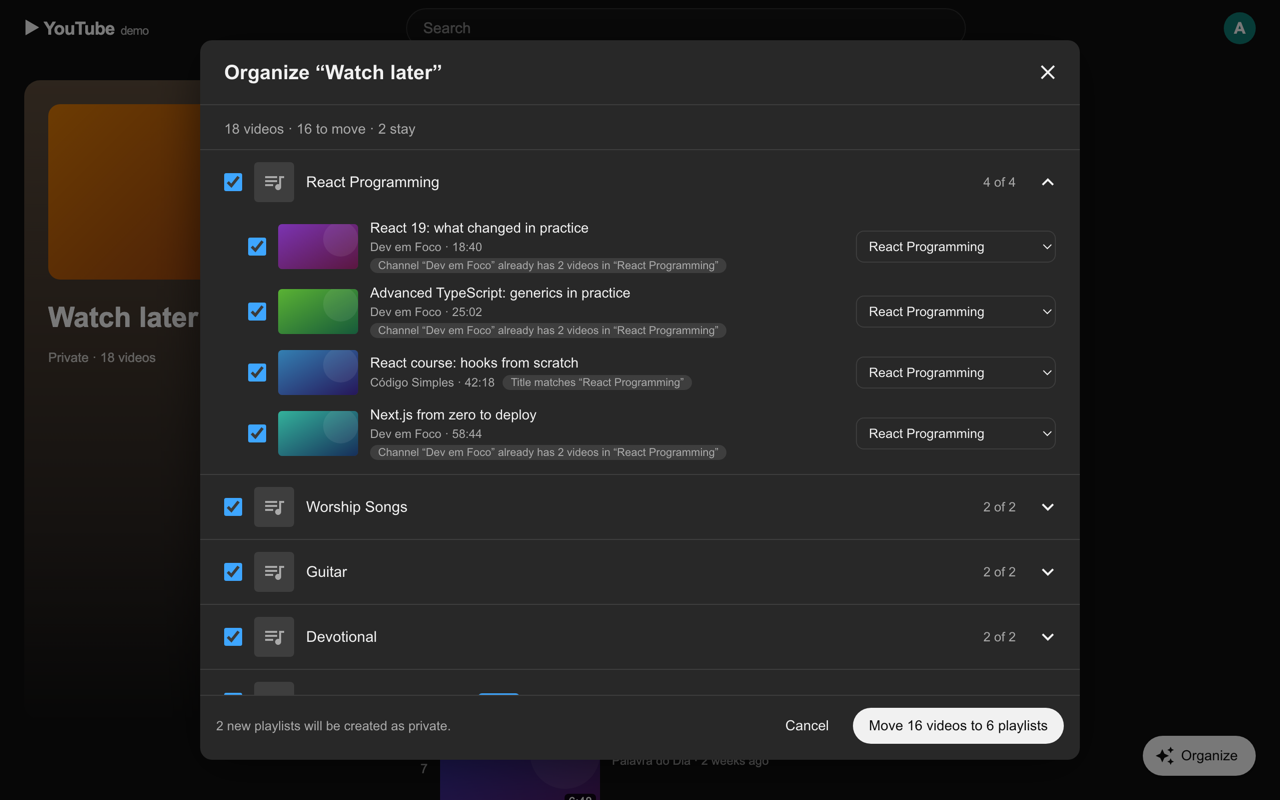
Change destinations, rename new playlists and untick what should stay. Nothing moves until you confirm.
The extension talks only to YouTube, with the session you are already signed in with.
No analytics, no ads, no data sold or shared.
When enabled, the AI runs on your computer. Titles never leave the browser.
If Playlist Tidy saved you some clicks, you can support its development.